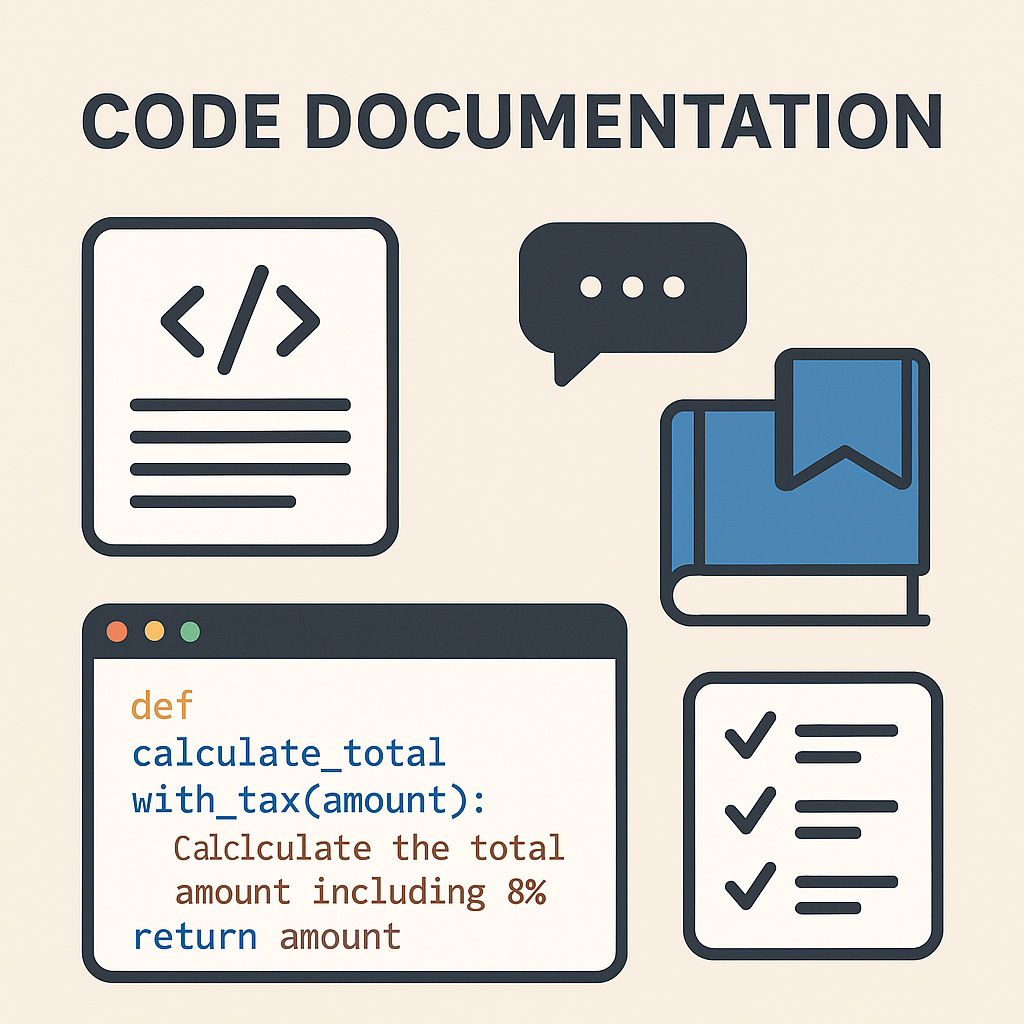
Code is read far more often than it is written - by coworkers, future maintainers, and your own future self. Good documentation is not a luxury; it's a long-term investment in your code's clarity, accessibility, and scalability.
Why Documentation Matters (Yes, Even When You're Busy)
Documentation in industry serves many functions:
- Knowledge Transfer: Developers come and go. Good docs ensure continuity.
- Onboarding: New team members can ramp up faster.
- Debugging & Refactoring: Comments clarify intent - crucial when updating legacy code.
- Collaboration: Shared understanding improves decision-making and speeds up reviews.
Think of documentation as a long-term investment in your code's clarity, accessibility, and scalability.
Levels of Documentation - What Goes Where
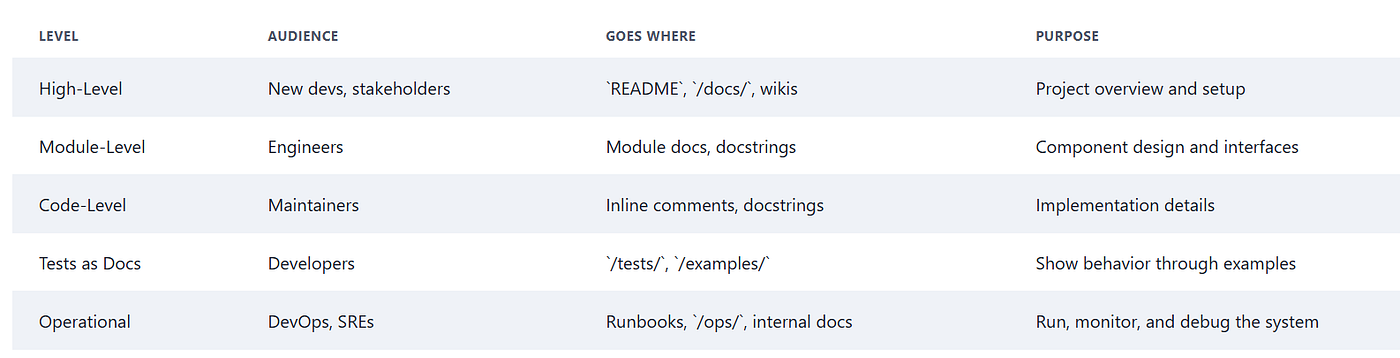
High-Level Documentation
Purpose: Explain what the system does and why it exists.
Audience: New developers, stakeholders, external teams.
This is the "getting started" layer. It gives readers a conceptual overview of the project and its purpose. Think of it as the front door to your codebase.
Typical locations: README.md, /docs/ directory, wiki pages (Confluence, GitHub Wiki)
What to include: Project purpose and features, setup and installation instructions, system architecture diagrams, key design decisions (ADRs), deployment steps, and an overview of external dependencies and APIs.
Module-Level Documentation
Purpose: Describe how individual modules or packages work.
Audience: Developers working in specific parts of the codebase.
This level dives into the responsibilities, interfaces, and boundaries of a specific component.
Typical locations: Package/module-level docstrings (e.g., in __init__.py), Markdown files in the relevant directory, /docs/modules/ subfolder.
What to include: What the module does, key classes or functions it exposes, how it interacts with other parts of the system, and non-obvious design choices or limitations.
Code-Level Documentation
Purpose: Explain how the code works and why it was written a certain way.
Audience: Other developers maintaining or reviewing the code.
This is the nitty-gritty detail. What your future self will thank you for.
Typical locations: Inline comments, function/class/method docstrings, code annotations.
What to include: Why a particular approach was chosen, explanation of tricky or non-intuitive logic, edge cases or assumptions, expected input/output behavior.
Tip: Avoid restating the obvious. Comments like
# increment ifori += 1don't help anyone. Always use meaningful variable names -ias an iterator won't help much when you look at your code down the line.
Tests as Documentation
Purpose: Provide real-world examples of how the code is expected to behave.
Audience: Developers trying to understand usage or prevent regressions.
Good tests are living documentation. They demonstrate intended behaviour in a way that stays up to date - because tests that don't reflect reality will break.
Typical locations: /tests/ directory, /examples/ folder.
What to include: Typical usage scenarios, edge cases and error conditions, high-level integration or system tests.
Operational Documentation
Purpose: Help DevOps/SRE teams deploy, monitor, and debug the system.
Audience: On-call engineers, platform teams, and anyone managing production.
This is the stuff that saves lives during incidents.
Typical locations: runbook.md, /ops/ or /infra/ folders, internal wikis, incident management systems.
What to include: How to deploy or roll back changes, required environment variables or secrets, monitoring and alerting dashboards, troubleshooting steps and logs, escalation paths.
Conclusion
A codebase without layered documentation is like a city without signs. People get lost, make wrong turns, and waste time retracing steps. When each documentation level is properly maintained, it creates a smooth, reliable developer experience. The best teams treat documentation as integral to code development - not an afterthought.